 Procreate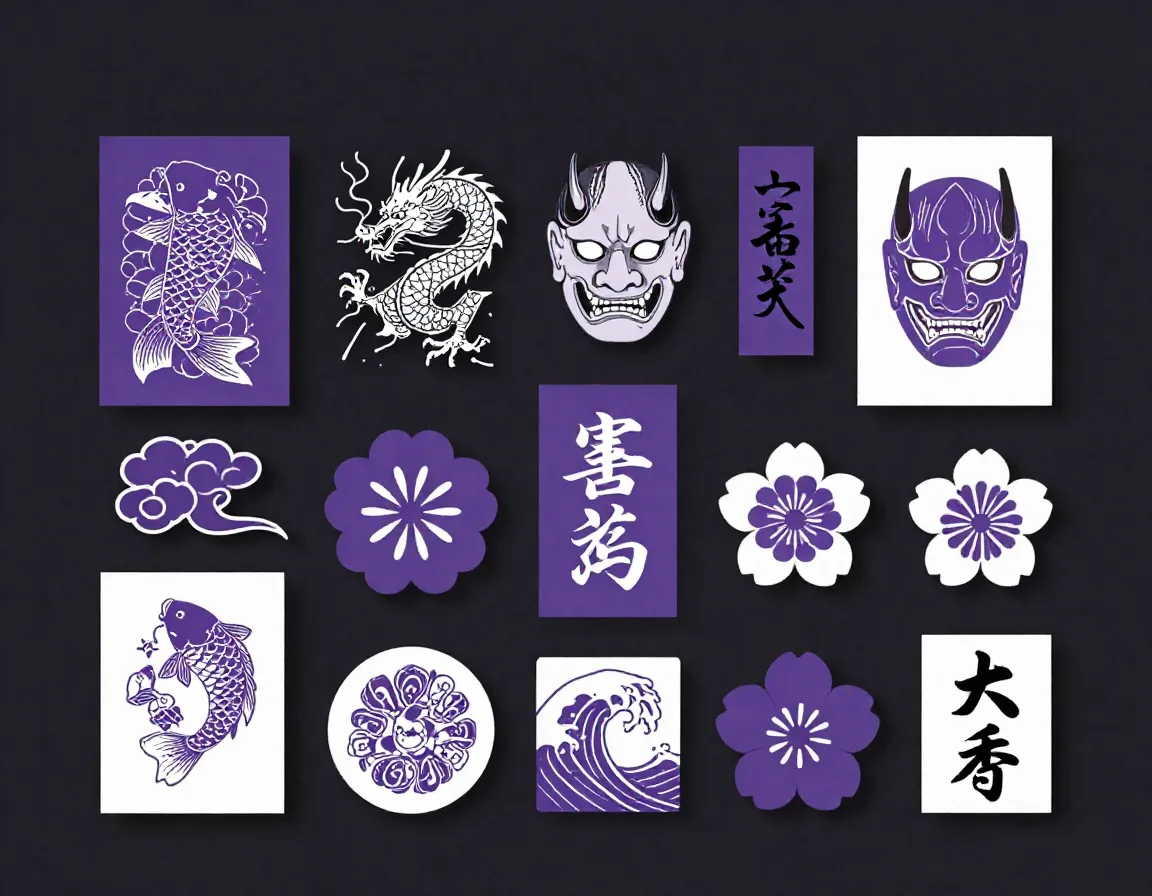
Japanese Tattoo Irezumi Stamps for Procreate
Elevate your digital tattoo design process with our comprehensive collection of 80 traditional Japanese tattoo stamps for Procreate. This meticulously crafted Irezumi stamp set features everything you need to build stunning, authentic Japanese body art concepts, including dynamic koi fish, majestic dragons, fierce oni masks, delicate sakura blossoms, classic finger waves, and traditional Japanese clouds. Perfect for tattoo artists, digital illustrators, and anyone looking to incorporate classic Yakuza-style and geometric Irezumi motifs into their artwork with just a tap.
Download on App StoreWhat's Included
- 80 Japanese Tattoo Irezumi Stamps in .brushset format
- 80 high-quality Procreate stamp brushes in a single .brushset file
- Detailed koi fish and Japanese dragon stamp sets
- Traditional oni mask and Hannya designs
- Essential background elements: sakura (cherry blossoms), finger waves, and Japanese clouds
- Authentic kanji characters and geometric framing elements
- Compatible with Procreate 5.3+ on iPad. Requires iOS 16 or later.
Perfect For
- Tattoo artists drafting large-scale Japanese sleeves or back pieces
- Digital illustrators creating traditional Irezumi-style artwork
- Apparel designers looking for authentic Japanese tattoo motifs
- Artists wanting to practice traditional Japanese shading and coloring techniques
How to Use
- Download the .brushset file to your iPad
- Open the Procreate app and open the Brush Library
- Tap the '+' icon and select 'Import', then choose the downloaded file
- Select your desired stamp, adjust the size, and tap your canvas to place the design
Download Now
Get 80+ Japanese Tattoo Irezumi Stamps and 500+ more stamps. Install directly to Procreate.
Download on App StoreFrequently Asked Questions
Can I use these stamps for commercial tattoo work?
Yes! These stamps are completely royalty-free for commercial use, including physical tattoos, digital prints, and merchandise designs.
Are the koi fish and dragon stamps outline only or shaded?
The stamps provide crisp, clean linework (outlines) designed to act as the perfect stencil or foundation for you to add your own shading, color, and personal style.
Do I need an Apple Pencil to use this brushset?
While an Apple Pencil is highly recommended for the best experience and pressure sensitivity in Procreate, you can still place these stamps using your finger or any basic stylus.